In this series
- Why I modernized my homelab instead of upgrading it
- Making a homelab repository agent-friendly
- Building the new K3s foundation
- Proving the entire platform with one blog
- Handing PostgreSQL over to Amp
- Modernizing an application, not merely moving it
- Replacing a surveillance media chain, not just a recorder (this post)
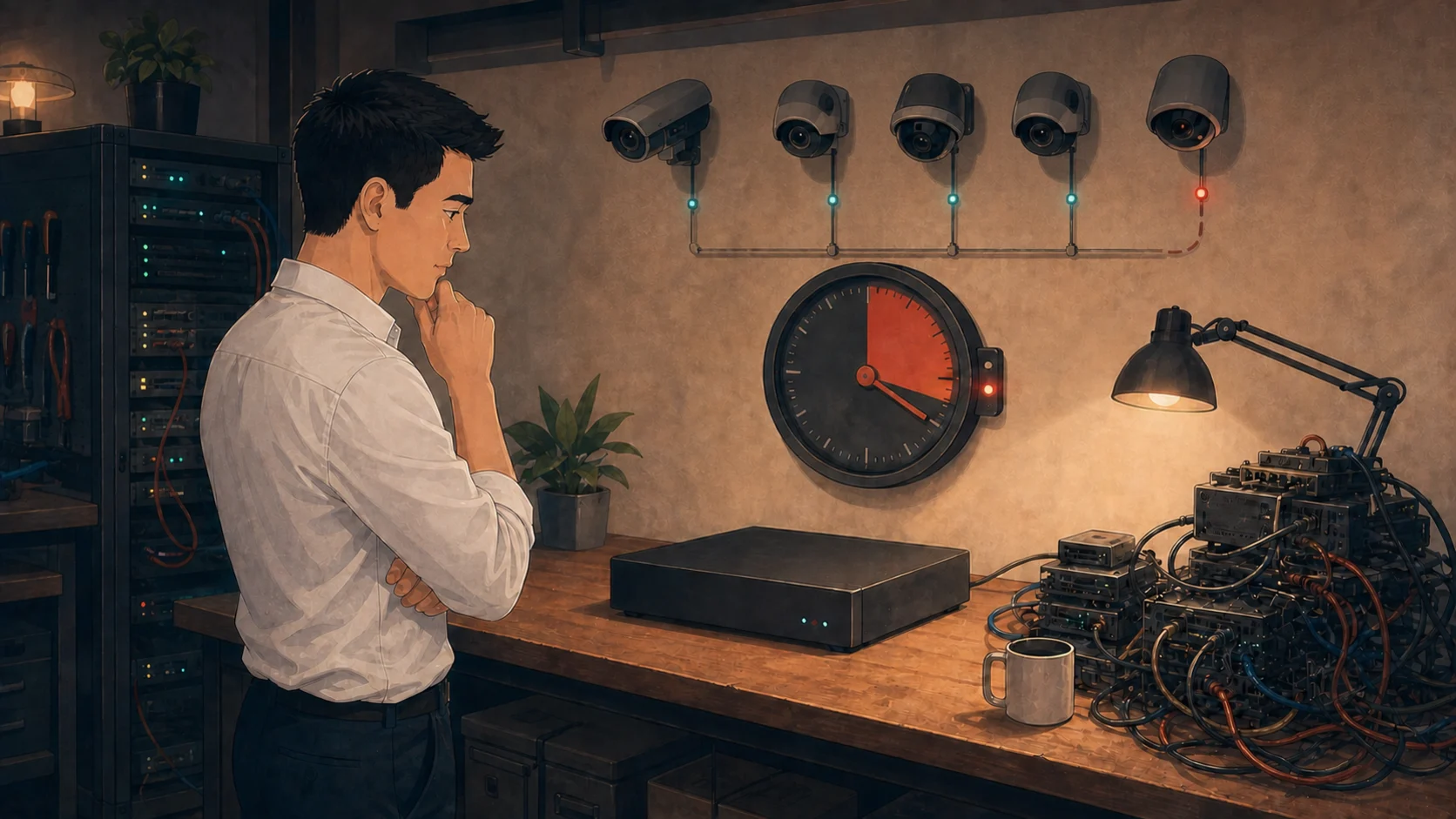
Frigate made the design much simpler, but it still had to meet the real needs of the old system.
Home surveillance was the first application I deployed in the homelab. I wrote about it in my original homelab post and again in a post of its own: cameras locked behind the firewall with no way to phone home, FFmpeg runners saving footage to the NAS in five-minute chunks, and later a small Node.js relay so that Home Portal could show a live feed. It worked for years, and I was quite proud of it.
It was also, if I am honest, a mess. Feeds on the old cluster failed from time to time, and NodeMediaServer frequently ran out of memory. Every camera stream passed through a custom RTSP reader, then RTMP, then HLS and MP4, while separate FFmpeg processes wrote the recordings to network storage. With so many stages, even finding which part had failed took more work than it should have.
I did not want to carry that whole chain into the new cluster. As with Baby Tracker in Part VI, moving it as it was would only have given the old design a new home. What I actually wanted was one service that receives the streams, records them and shows them to me.
Frigate looked like it could be that service. It is an NVR built around FFmpeg, and it ships with go2rtc, a restreamer that holds a single connection to each camera and shares it with whoever needs it. Between them they cover exactly the jobs my relay and my recorders had been doing, without me maintaining any of the code.
So I gave Amp a short prompt: “Look at the plan to rebuild the surveillance platform, start the work”. The plan described the outcome I wanted. It said nothing about the cameras.
Let Amp discover the cameras
That omission was deliberate. I could have typed out the camera list, the stream paths and the codecs from memory, but my memory of that system was several years old. I wanted to see whether Amp could find out the truth on its own rather than trusting what I remembered. If it could, I would also get an up-to-date inventory for free.
It could. Amp found the cameras on their isolated network, confirmed which of them answered on RTSP and ONVIF, and then probed the actual streams instead of reading the spec sheet. Each of the four reachable cameras offered two streams: a full-resolution H.264 main stream for recording and a small substream that is perfect for the live grid. Both carried G.711 audio, which browsers do not play natively. Amp even noticed that the camera’s own metadata described the H.264 profile differently from what the bitstream actually contained. That is the kind of detail you only learn by testing the real thing, and exactly why I did not want to work from memory.
Those findings shaped the design rather than the other way around. Frigate could copy the main video straight into recordings without transcoding it, which matters a great deal on a Raspberry Pi. go2rtc could keep one connection per camera stream and share it with the recorder and every browser tab, so opening the live grid no longer meant opening yet another RTSP session against each camera. Only the audio needed converting, from G.711 to AAC, and that is cheap.
Work out the storage first
The recordings still belonged on my QNAP, not on a Raspberry Pi’s local disk. Beta and production also needed separate directories on the NAS. A test run should never be able to write into the real recordings, let alone delete them.
Before building anything, Amp worked out the storage for my original five-camera plan. Five main streams plus audio would use about 5.44 Mb/s, or 58.8 GB a day. Ninety days would need roughly 5.3 TB for the camera data, so Amp recommended at least 6.1 TB after allowing for overhead. I later retired one camera permanently, which brought the active system down to four and reduced the real requirement.
I liked having this number before a single recording was written. The old system never had anything like it written down anywhere. It is still an estimate, not a promise. A ten-second sample of the four reachable cameras showed rates between 330 and 832 Kb/s per camera, depending on what was happening in front of the lens. That is far too short for retention planning. I still want a representative full day before I trust the final allocation.
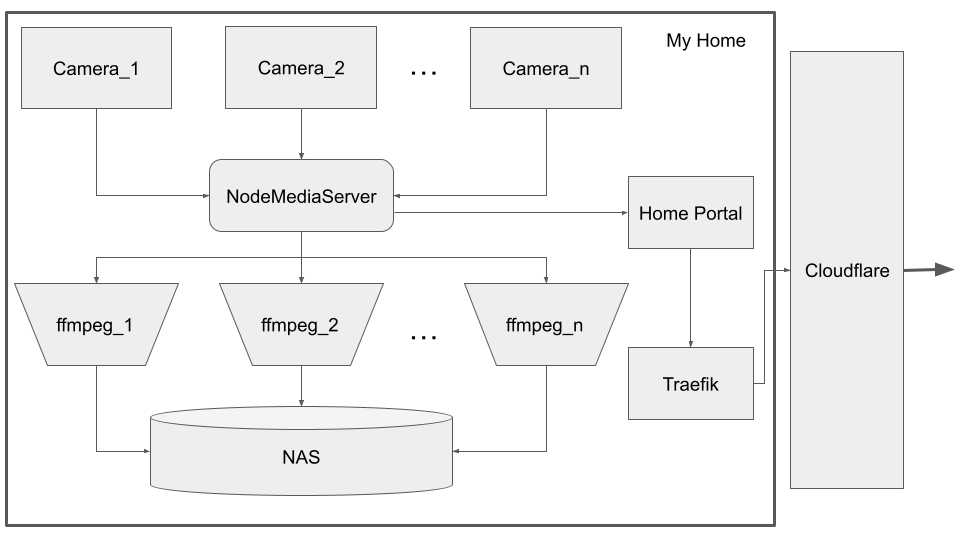
The old system split streaming, browser playback and recording across several processes.
The replacement is much simpler to draw. Each camera connects to Frigate and go2rtc. Frigate writes the recordings to the QNAP and serves both live and recorded video to the browser. It does not need my custom relay or per-camera recorders.

One service now handles stream sharing, recording and playback.
Keep camera access private
The cameras require a login for RTSP, and in the old system that login lived in a plaintext ConfigMap. Amp moved it into a Kubernetes Secret, and Frigate now reads it from the environment when it builds the stream URLs. The credentials stay on the server side of everything; the browser only ever talks to Frigate.
Amp also kept the workload’s network access to the minimum. A NetworkPolicy lets it reach only the camera addresses, and only on the RTSP and ONVIF ports. Frigate has a second, unauthenticated port for its own health checks, and that port stays inside the Pod with no Service in front of it, so it cannot quietly become a way around the front door.
Frigate’s official container could not run under my strictest security policy. Amp followed the startup errors and added back only the permissions it needed. I verified that Frigate started while the other limits stayed in place. The small exception is written down in the repository.
Start with a small beta
Object detection stayed off, deliberately. Detection is the feature Frigate is best known for, but the first beta only had to prove three things on the ARM64 workers: streams come in, recordings land on the QNAP, and both keep going. Every extra feature would only have made a failure harder to explain.
Amp deployed it to the LAN-only beta environment from Part IV and checked it the way I wanted it checked, which is to say without watching the footage. Stream counters showed frames advancing on every configured feed, recording segments appeared on the NAS with sensible timestamps, and a probe of sample files confirmed H.264 video with AAC audio inside. All four active cameras were live and recording. The fifth camera had been switched off permanently, so four was the complete setup rather than a partial result.
The beta showed that the design could work, and I verified it myself. Should I just push Ship and replace the old recorder? No. The live feeds and recordings still needed to be protected behind sign-in, and a short beta did not prove that the recorder would keep working. I would tackle both next.